|
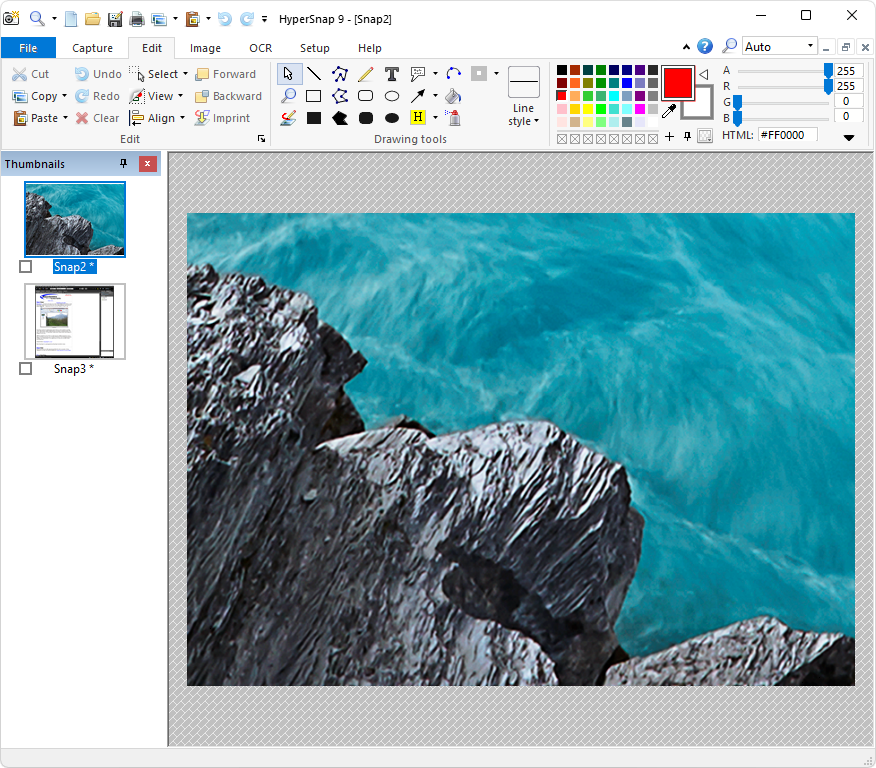
It's perfect for capturing images you want to include in your Help system, online tutorials, manuals, training handouts, presentations, marketing materials, Web pages, emails, and more. Use HyperSnap to share a picture-perfect representation of anything on your screen quickly.
This powerful screen capture is versatile and extremely easy to use. You can switch between the modern "ribbon" interface in the image above or the traditional menu and toolbars.
HyperSnap 8 is compatible with 32-bit and 64-bit releases of Windows 10, 8 (desktop mode), 7, Vista, and their corresponding Windows Server editions. On Windows XP, use HyperSnap.
Features :
The image captures from anywhere on the screen
New & powerful image capture, editing, annotation, and manipulation tools.
Unlimited undo/redo.
TextSnap feature to capture editable text from almost anywhere on the screen.
Capture dropdown menus and lists with a hotkey feature or delayed capture.
Image stamps, frames, drop shadows, free-hand capture, FTP server uploads, and more.
Automatic color substitution.
Non-rectangular window capture.
Perfect for professional technical writers who need to snap and document dozens of buttons!
Auto-scrolls and concurrently captures long web pages and others.
Automatically saves your captures to graphics files.
Doubles as a compelling image viewer and format converter.
Fully customizable user interface.
The Extended Window Capture function resizes a window to be much more significant.
How to use:
0. Disable antivirus if needed [Mostly it's not needed].
1. Install Program (remove any previous patch/Install).
2. Copy crack to the install Folder.
3. Done, enjoy the Software & Please seed for 36hrs.
Important: See virustotal scans: [Don't worry it's safe to install and we tested it before sharing]
https://www.virustotal.com/gui/file/f61a74e8dcadfaa00e06f302d2507bf4a2daea6305a0a6216b10b09034e08bda
https://www.virustotal.com/gui/file/22af3aee58692a1b28004a679ff990e43838ba14a20704f83b86eff178aaa554
|
|
udp://open.demonoid.ch:6969/announce udp://open.demonii.com:1337/announce udp://open.stealth.si:80/announce udp://tracker.torrent.eu.org:451/announce udp://explodie.org:6969/announce udp://yuki.bt.bontal.net:6969/announce udp://wepzone.net:6969/announce udp://tracker2.dler.org:80/announce |